Quickstart
This walks you from a clean machine to a real upstream call mediated
by Excalibur. End state: a curl to api.stripe.com carries the
placeholder XCALIBUR_STRIPE_SECRET_KEY to the proxy; the proxy
swaps in the real key, returns a 200, and the call appears as a
row on the Flows page tagged with the workload's principal.
1. Start the proxy
docker compose up -d
curl http://localhost:8443/healthz
# {"status":"ok"}
Or as a binary (lab profile):
EXCALIBUR_RBAC_DISABLE=true \
EXCALIBUR_CONFIG=examples/config.json \
  ./excalibur-proxy
The dashboard is now at http://localhost:8443/ and the HTTP
proxy listener is on :3128.
2. Install the proxy CA
Excalibur intercepts TLS, which means clients must trust its CA. Download it once:
curl -o excalibur-ca.crt http://localhost:8443/ca.crt
Then install it where the workload runs:
| OS / runtime | Install command |
|---|---|
| Ubuntu / Debian / Alpine | sudo cp excalibur-ca.crt /usr/local/share/ca-certificates/ && sudo update-ca-certificates |
| RHEL / CentOS / Fedora | sudo cp excalibur-ca.crt /etc/pki/ca-trust/source/anchors/ && sudo update-ca-trust |
| macOS | sudo security add-trusted-cert -d -r trustRoot -k /Library/Keychains/System.keychain excalibur-ca.crt |
| Kubernetes pod | Mount as a ConfigMap, then run update-ca-certificates in the entrypoint |
3. Point a client at the proxy
Two environment variables are the entire client-side change:
export HTTP_PROXY=http://localhost:3128
export HTTPS_PROXY=http://localhost:3128
export NO_PROXY=localhost,127.0.0.1
4. See it work
curl -sS https://httpbin.org/get | jq '.url'
# "https://httpbin.org/get"
Open the dashboard and go to Flows — the request appears as a row with the time, method, host, path, status, and the principal that made it.
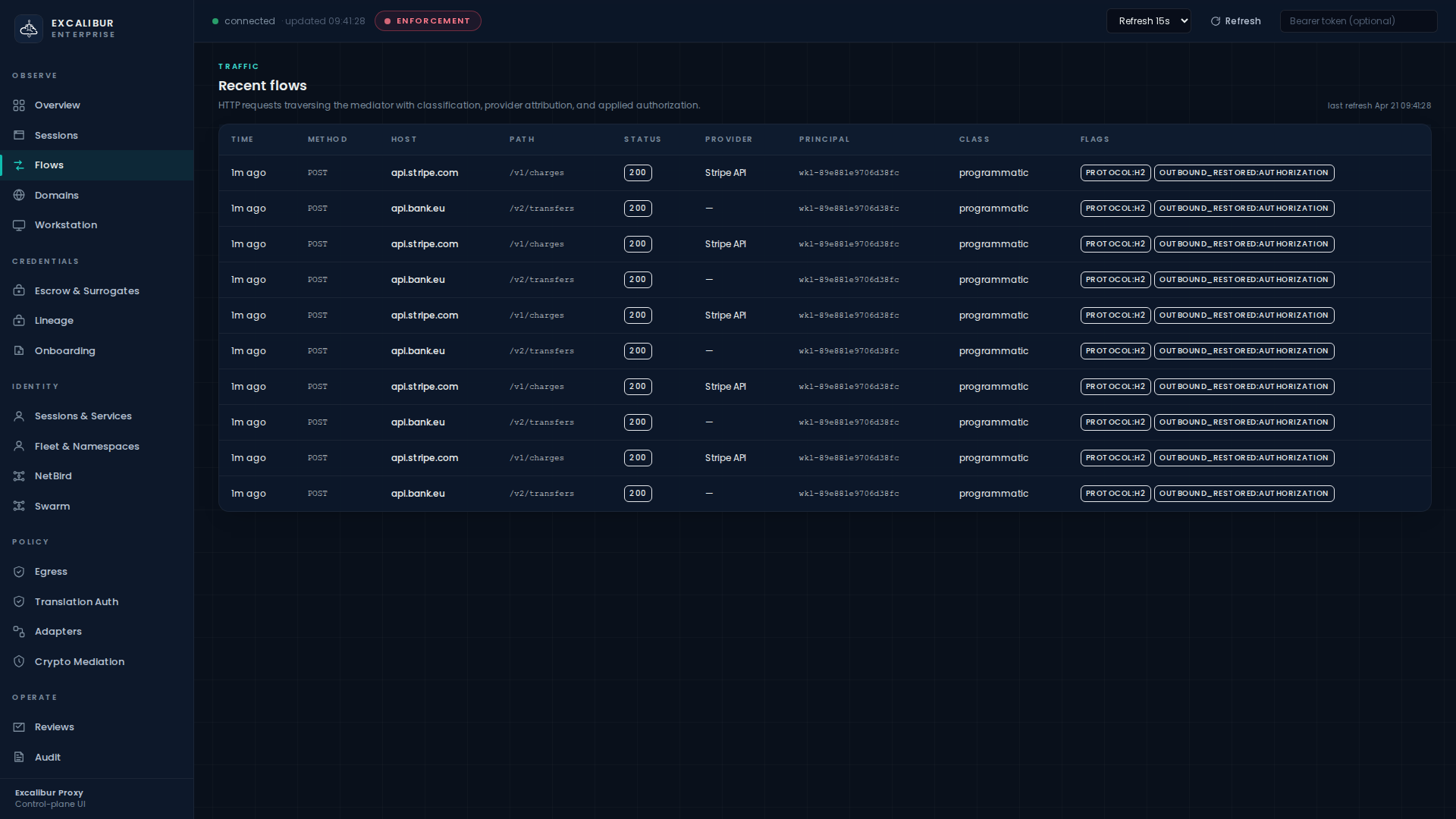
Figure 1. Real outbound HTTP, classified per provider, attributed to the
workload principal wkl-89e881e9706d38fc.
5. Add your first placeholder
A placeholder is the public, inert label the workload will use in place of the real key. Operators add placeholders once; the workload references them by name.
excalibur-ctl placeholder add \
  --name  XCALIBUR_GITHUB_TOKEN \
  --value ghp_yourRealTokenHere \
  --provider github
Or via API:
curl -X POST http://localhost:8443/api/placeholders \
  -H "Content-Type: application/json" \
  -d '{
        "placeholder":   "XCALIBUR_GITHUB_TOKEN",
        "real_value":    "ghp_yourRealTokenHere",
        "provider_id":   "github",
        "route_family":  "github"
      }'
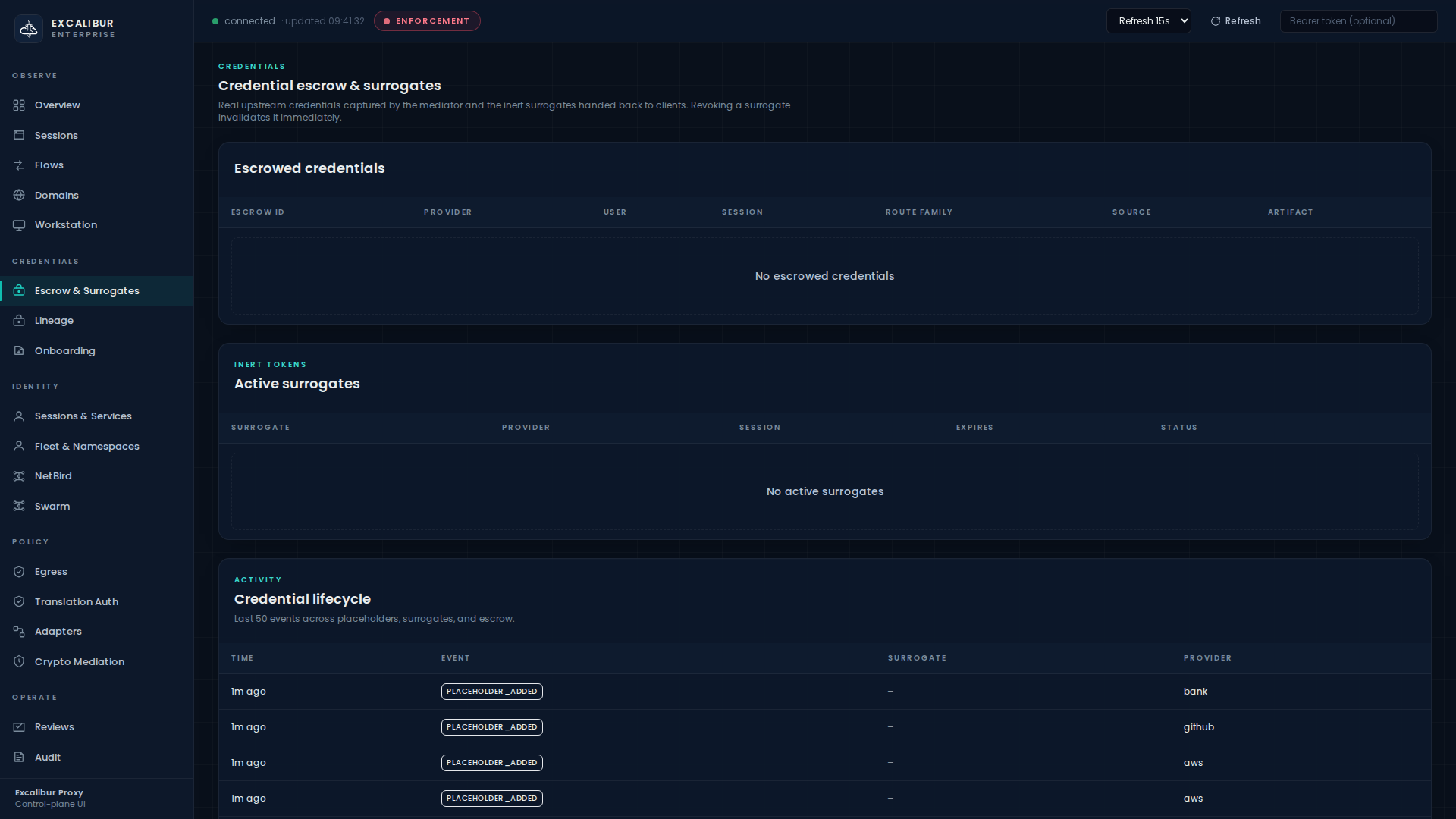
The placeholder shows up immediately on the Escrow & Surrogates page in the Placeholder vault table.
6. Use the placeholder from the workload
The workload uses the placeholder as if it were the real value. Excalibur sees the label outbound, looks up the real key, and signs the upstream call:
export GITHUB_TOKEN=XCALIBUR_GITHUB_TOKEN
curl -H "Authorization: Bearer $GITHUB_TOKEN" \
     https://api.github.com/user
The upstream sees the real ghp_…. The workload only ever sent the
literal label.
7. Switch to enforcement
Discovery (the default) observes everything but blocks nothing. Production runs in enforcement:
excalibur-ctl mode set enforcement
# or
curl -X POST http://localhost:8443/api/mode -d '{"mode":"enforcement"}'
The mode badge in the dashboard header strip turns red and reads
ENFORCEMENT. From this point on:
- Unknown destinations fail closed.
- Placeholders without a translation rule are denied.
- Raw non-HTTP TCP is blocked.
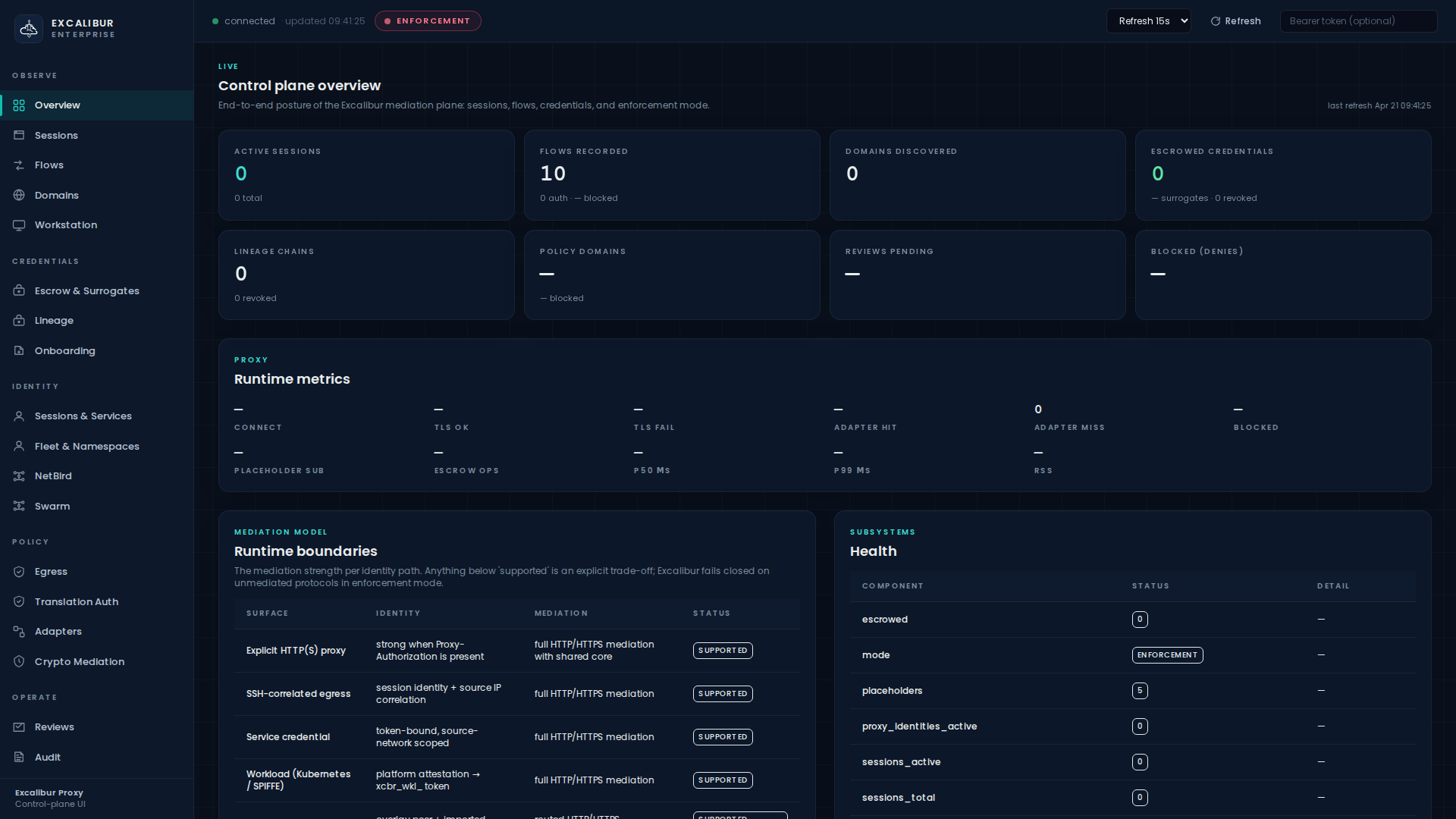
Figure 2. Top-left of every page shows connected · updated <time> ·
ENFORCEMENT.
8. Where to go next
- Restrict who can redeem which placeholder: Translation rules.
- Restrict where a workload can call out to: Egress & namespace policy.
- Onboard a Kubernetes pod or a long-lived server with a real identity: Onboarding a workload.
- Browse the dashboard page-by-page: Dashboard tour.