Onboarding a workload¶
Excalibur identifies callers by principal kind. Pick the path that matches the workload; you do not have to install anything on the workload itself in any of them.
| Path | When | Section |
|---|---|---|
| Service credential | Long-lived servers, batch jobs, build runners, on-prem services | §1 Service credential |
| SSH session identity | Operators on jump hosts, interactive dev shells through your bastion | §2 SSH session |
| Kubernetes attestation | Pods that already have a projected service-account token | §3 Kubernetes attestation |
| Developer-device | Roaming engineers on managed laptops, identified by the NetBird overlay | §4 Developer-device |
All four end up the same way at runtime: every outbound HTTP request the workload makes carries a verifiable identity, and every audit event quotes a principal ID.
1. Service credential — long-lived servers¶
A service credential is an operator-minted token bound to a source
network. The workload presents it as proxy authentication
(Proxy-Authorization: Bearer …); the proxy refuses to let the
same token authenticate from a different source IP.
Operator: mint the credential¶
excalibur-ctl service-credential create \
  --name   "ci-runner" \
  --user   ci \
  --source 10.0.0.0/8
Or via API:
curl -X POST http://localhost:8443/api/service-credentials \
  -H "Content-Type: application/json" \
  -d '{
        "name":            "ci-runner",
        "user":            "ci",
        "source_network":  "10.0.0.0/8",
        "allowed_domains": ["api.github.com","registry.npmjs.org"]
      }'
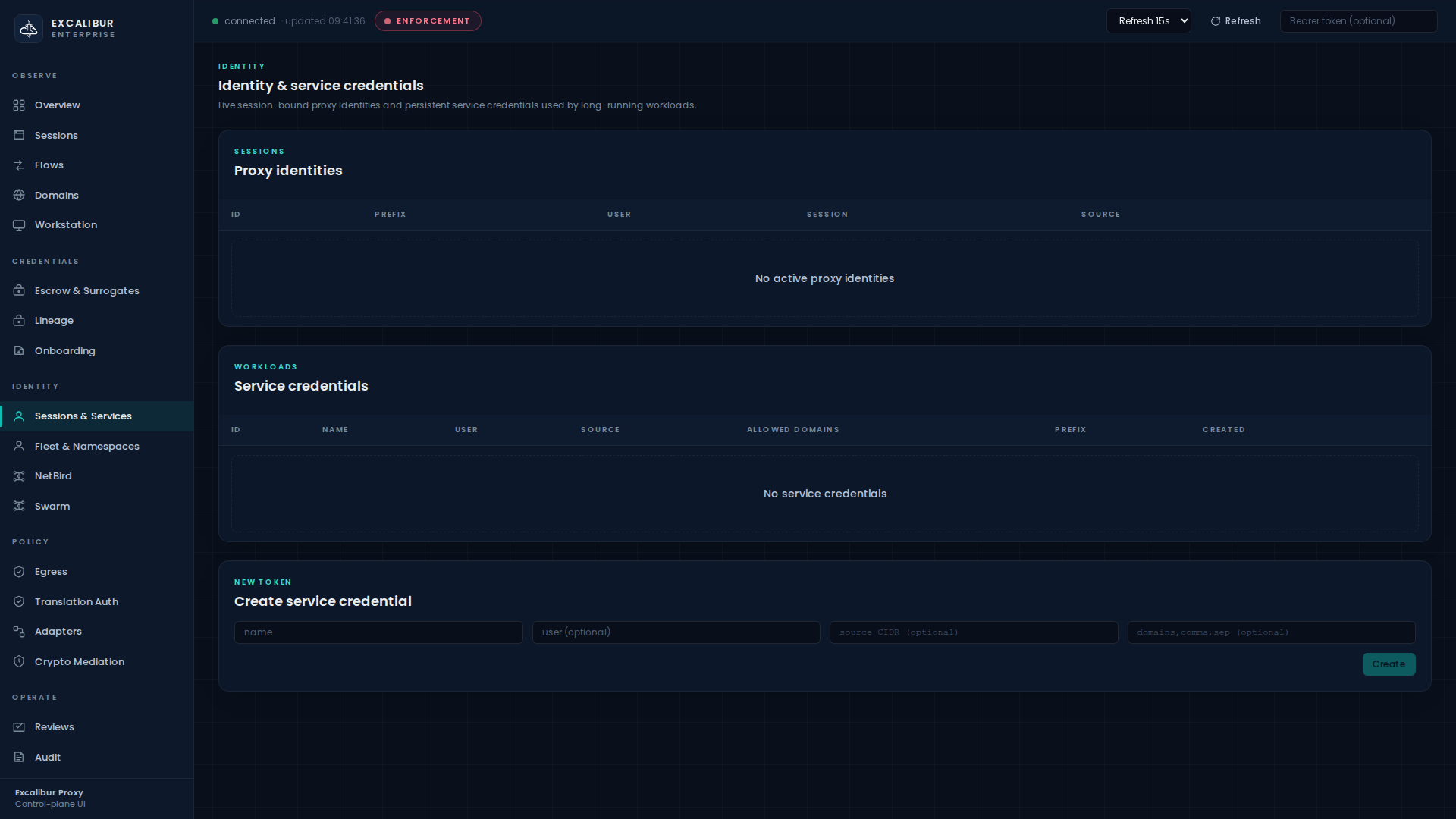
Or do it in the UI on the Sessions & Services page, in the Create service credential card at the bottom:
The response includes a token value (shown once). Store that as
a secret in the workload's deployment system the same way you store
any other secret — but note that this token is a proxy bearer,
not a provider bearer. The worst an attacker can do with it is
authenticate to Excalibur from the configured source CIDR; they
still need an applicable translation rule to redeem any placeholder.
Workload: present the credential¶
export HTTP_PROXY=http://excalibur:3128
export HTTPS_PROXY=http://excalibur:3128
export PROXY_AUTH="Bearer ${EXCALIBUR_SVC_TOKEN}"

curl -x "$HTTP_PROXY" \
     --proxy-header "Proxy-Authorization: $PROXY_AUTH" \
     -H "Authorization: Bearer XCALIBUR_GITHUB_TOKEN" \
     https://api.github.com/user
Verify¶
The credential appears in the Sessions & Services page under Service credentials, with columns ID, Name, User, Source, Allowed domains, Prefix, Created. Every flow it produces shows up on the Flows page with the principal column populated.
What gets recorded¶
| Event | When |
|---|---|
service_credential_created |
Admin minted the credential |
proxy_auth_ok / proxy_auth_denied |
On every CONNECT — denied if the source IP is outside the CIDR |
flow_recorded |
Per outbound request, with the principal ID |
If the same token authenticates from a different source IP, the
proxy returns 407 Proxy Authentication Required, writes a
proxy_auth_denied event with reason="source_network_mismatch",
and revokes the credential automatically. See
Responding to an incident for the
full token-jack scenario.
2. SSH session identity¶
If your operators reach systems through Excalibur's SSH gateway, their session is their identity. Every HTTP request a shell in that session makes inherits the SSH principal automatically — no extra configuration on the workload.
Operator: SSH through Excalibur¶
ssh -p 2222 alice@excalibur.corp.example
You land on the configured target host. The SSH gateway records the
session, optionally injects HTTP_PROXY / HTTPS_PROXY into the
shell, and starts attributing every outbound HTTP request to
user_session:alice@….
Verify¶
The session appears on the Sessions page with columns Session, User, Source, Started, State, plus a Revoke button (admin-only).
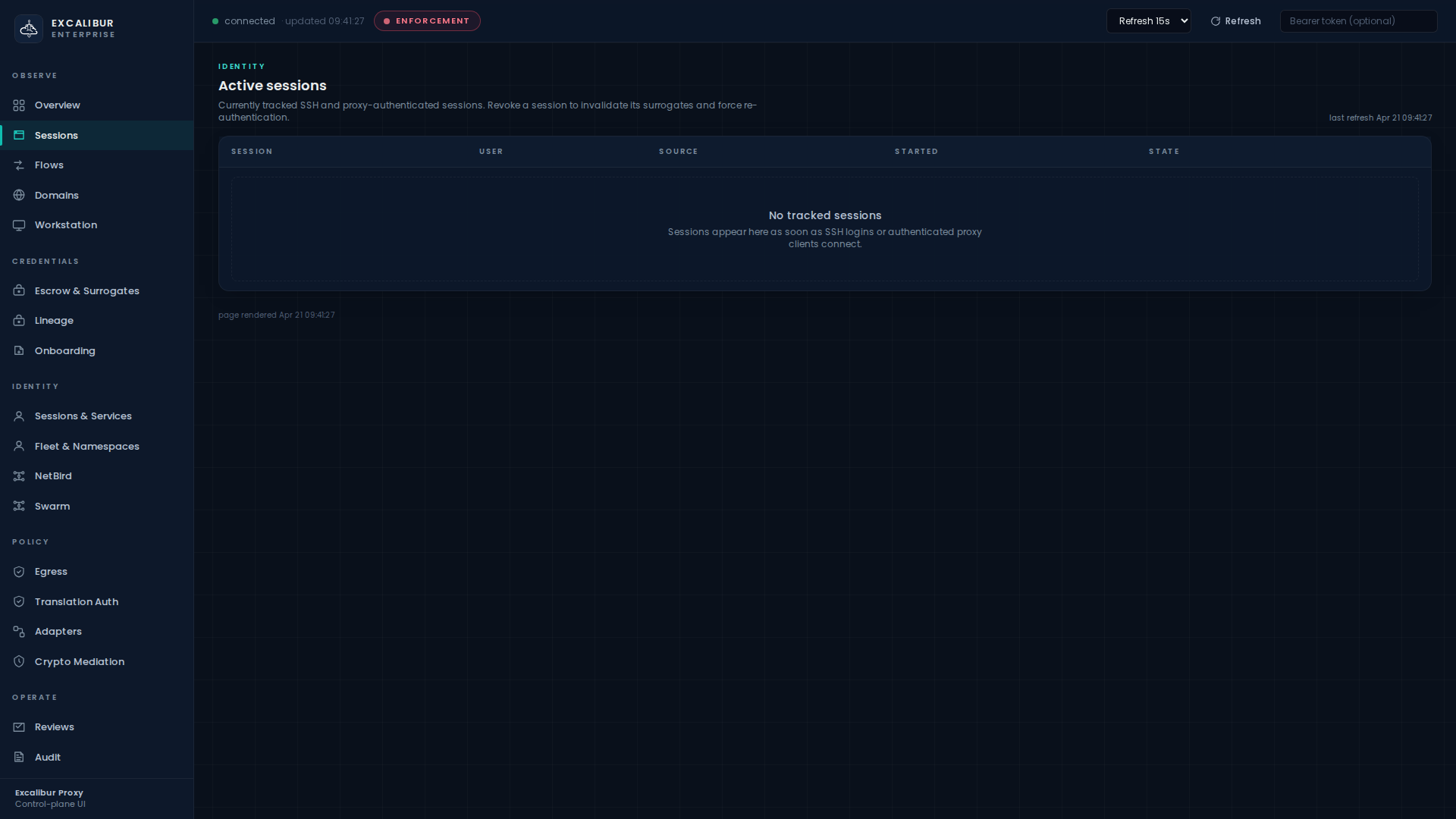
Switch to Audit and search for type=ssh_session_started to
see the full session record. SFTP transfers are also logged.
Multi-target routing¶
A single Excalibur instance can route SSH to many backend hosts based on user identity and source network. See the SSH route table in the operator UI for the live rules.
3. Kubernetes attestation¶
Pods on Kubernetes already have a strong, platform-issued identity:
the projected service-account token mounted at
/var/run/secrets/kubernetes.io/serviceaccount/token. Excalibur
verifies it against the cluster's own JWKS, derives a principal
from namespace/serviceaccount, and mints a short-lived proxy
bearer.
Operator: configure once¶
Tell Excalibur which Kubernetes issuer to trust:
EXCALIBUR_K8S_ISSUER=https://kubernetes.default.svc
EXCALIBUR_K8S_CLUSTER=prod-eu-west
EXCALIBUR_K8S_JWKS_URL=https://kubernetes.default.svc/openid/v1/jwks
(Or use a static JWKS file via EXCALIBUR_K8S_JWKS_FILE.)
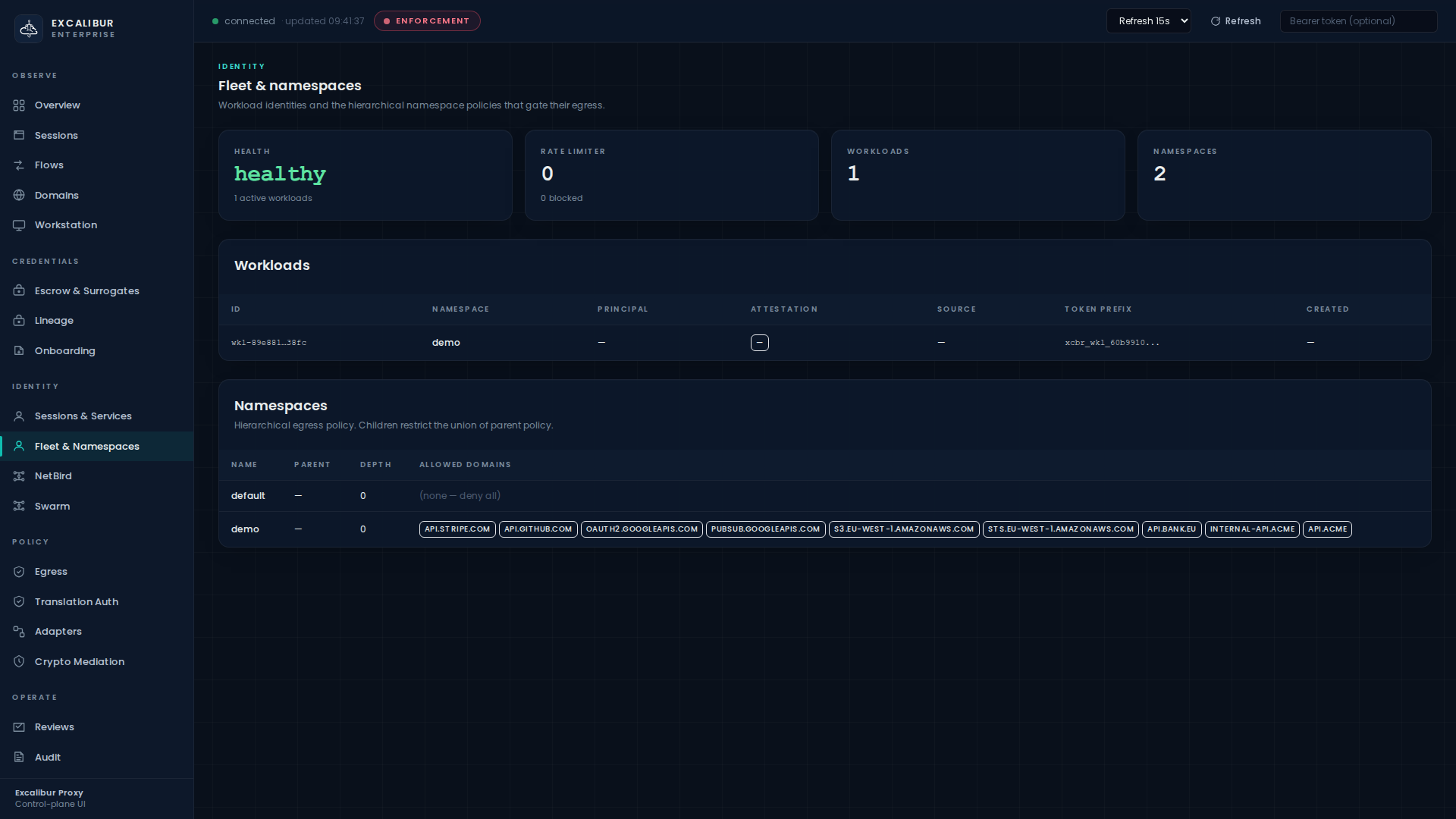
Optionally create a namespace for the workloads on the Fleet & Namespaces page, with an explicit allowed-domain list:
Workload: exchange the SA token¶
The workload performs one stock HTTP POST at startup (no Excalibur-specific code, no SDK, no sidecar). This is RFC 8693 token exchange:
SA_TOKEN=$(cat /var/run/secrets/kubernetes.io/serviceaccount/token)

PROXY_TOKEN=$(curl -sf -X POST https://excalibur:8443/api/oauth/token \
  --data-urlencode 'grant_type=urn:ietf:params:oauth:grant-type:token-exchange' \
  --data-urlencode "subject_token=${SA_TOKEN}" \
  --data-urlencode 'subject_token_type=urn:ietf:params:oauth:token-type:jwt' \
  --data-urlencode 'audience=https://excalibur.corp.example' \
  --data-urlencode 'scope=provider:github provider:stripe' \
  | jq -r .access_token)

export HTTPS_PROXY=https://excalibur:8443
curl --proxy-header "Proxy-Authorization: Bearer ${PROXY_TOKEN}" \
     -H "Authorization: Bearer XCALIBUR_GITHUB_TOKEN" \
     https://api.github.com/user
The minted PROXY_TOKEN is short-lived (its TTL never exceeds the
service-account token's remaining lifetime, capped by your
configured max_workload_token_ttl).
Verify¶
The pod appears on the Fleet & Namespaces page in the
Workloads table with columns ID, Namespace, Principal,
Attestation, Source, Token prefix, Created. The attestation column
shows kubernetes.
What gets recorded¶
| Event | Details |
|---|---|
workload_attested |
attestor=kubernetes, subject=ns/sa, cluster=… |
workload_token_issued |
Token prefix, TTL, allowed scopes |
workload_token_replay_denied |
If the same jti is presented twice within the token lifetime |
4. Developer-device — NetBird overlay¶
For roaming engineers, real NetBird peer / group / route / policy
state is ingested. A synced peer becomes a developer_device
principal automatically; nothing else is required on the laptop.
Operator: connect Excalibur to your NetBird control plane¶
EXCALIBUR_NETBIRD_SYNC_URL=https://netbird.your.tld/api
EXCALIBUR_NETBIRD_SYNC_TOKEN=…
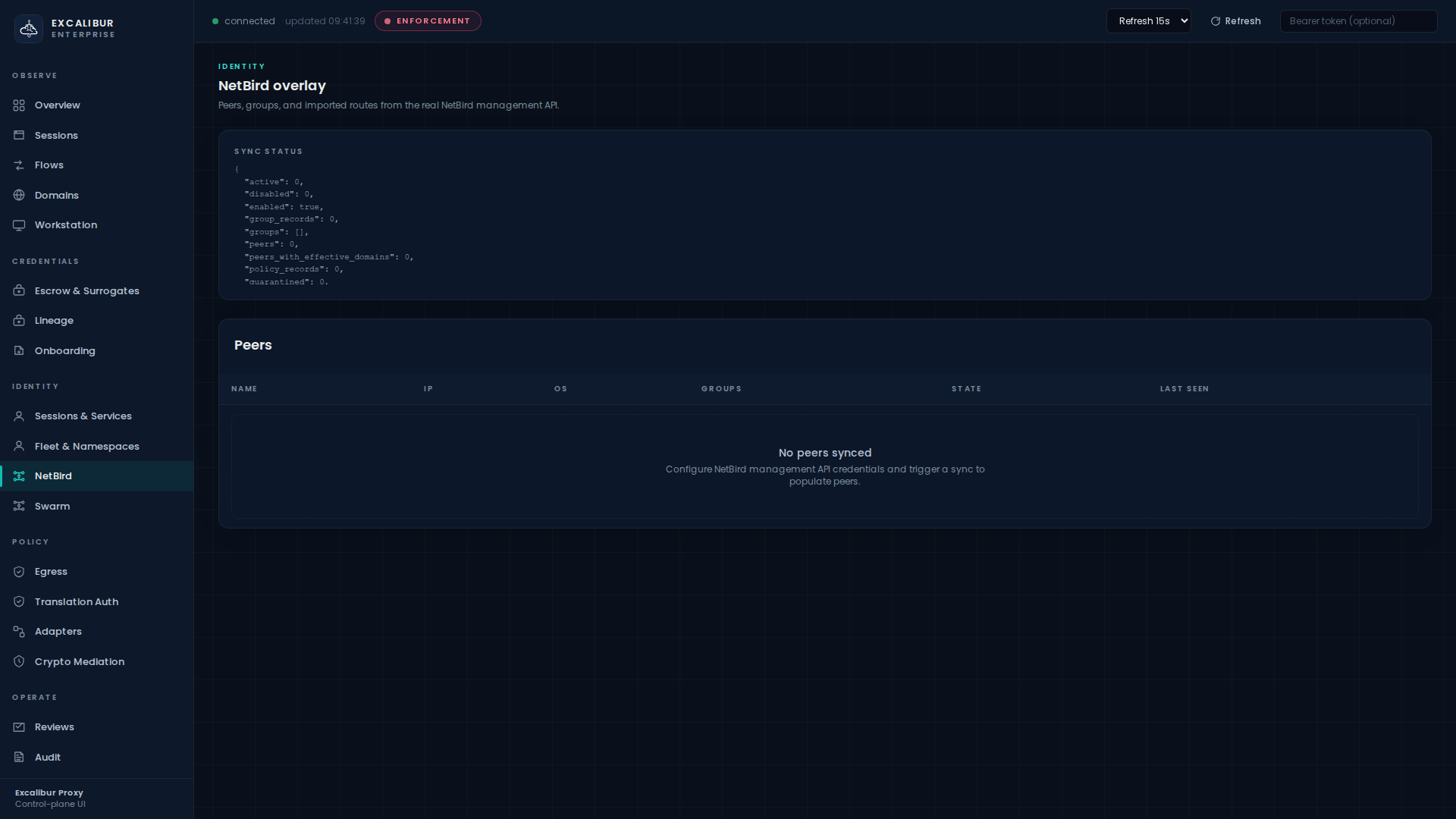
The NetBird dashboard page shows sync status and the live peer list:
What you get¶
- Imported route ACLs derive per-peer allowed domains.
- Imported network routes derive effective peer networks and default-route state.
- DNS source policy is automatically populated.
- Every flow from the peer is attributed to its
developer_device:<peer-id>principal.
Combining with the rest of the model¶
Once a developer-device principal exists, it works exactly like any other principal: write a translation rule for it (Translation rules) and an egress policy for its namespace (Namespace egress). The dashboard does not treat overlay peers as a special case.
What's next¶
- Decide what each principal can redeem: Translation rules.
- Decide where each principal can call out to: Egress & namespace policy.
- Provision the upstream credentials they will use: Onboarding a credential.