Onboarding an upstream credential¶
You have an API key, an OAuth refresh token, an AWS access key, or any other reusable upstream credential. You want it held only in Excalibur, and replaced everywhere else with a label.
There are two paths:
- Operator-provisioned: you have the credential value in hand (vault, password manager, fresh from the provider's dashboard) and you provision it directly. See §1.
- Adopt-from-traffic: a workload already used a raw credential while talking to an upstream through Excalibur, and you want to replace it with a managed placeholder without ever copy-pasting the secret. See §2.
Both paths end the same way: the placeholder appears on the Escrow & Surrogates page and is immediately usable.
1. Operator-provisioned¶
Use this path when you already have the credential value.
Pick a placeholder name¶
Convention: XCALIBUR_<UPPERCASE_WHAT_THE_WORKLOAD_CALLS_IT>.
This is the literal string the workload will hold in its environment
or config. It is intended to be visible — in source, in logs, in
screenshots.
Examples:
XCALIBUR_STRIPE_SECRET_KEY
XCALIBUR_GITHUB_TOKEN
XCALIBUR_AWS_ACCESS_KEY_ID
XCALIBUR_AWS_SECRET_ACCESS_KEY
XCALIBUR_BANK_API_KEY
Provision it¶
excalibur-ctl placeholder add \
  --name      XCALIBUR_STRIPE_SECRET_KEY \
  --value     sk_live_… \
  --provider  stripe
Or by API:
curl -X POST http://localhost:8443/api/placeholders \
  -H "Content-Type: application/json" \
  -d '{
        "placeholder":  "XCALIBUR_STRIPE_SECRET_KEY",
        "real_value":   "sk_live_…",
        "provider_id":  "stripe",
        "route_family": "stripe"
      }'
route_family is what translation-authorisation rules will match
against. For the built-in adapters (GitHub, Stripe, AWS, …) the
route family is the same as the provider ID.
Verify¶
The placeholder appears immediately in the Placeholder vault table on the Escrow & Surrogates page:
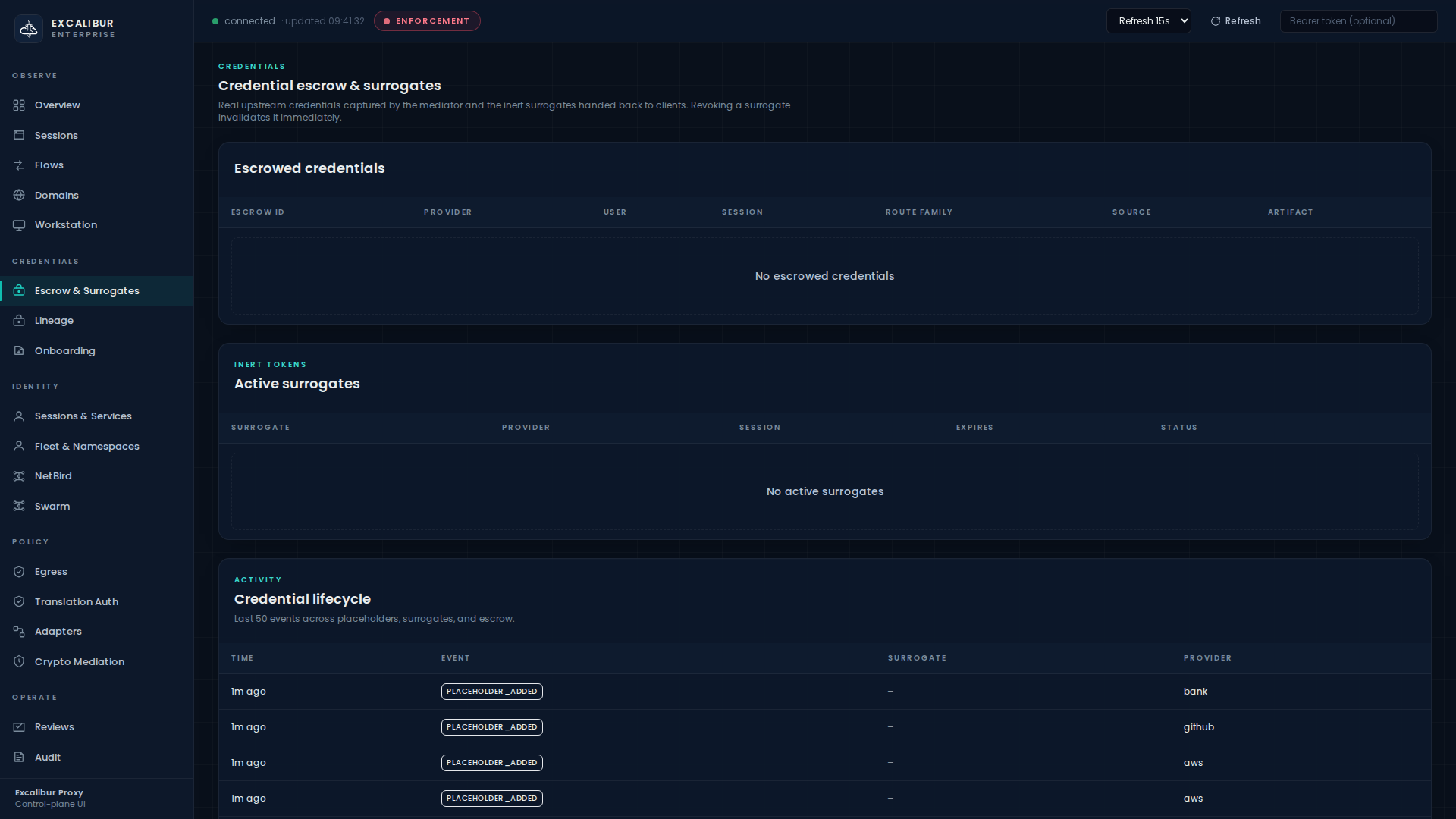
Columns: Placeholder, Provider, Route family, Last rotated.
Use it¶
The workload references the placeholder by name. No SDK, no helper. The proxy substitutes the real value inline.
export STRIPE_SECRET_KEY=XCALIBUR_STRIPE_SECRET_KEY

curl https://api.stripe.com/v1/charges \
  -H "Authorization: Bearer $STRIPE_SECRET_KEY" \
  -d amount=1500 -d currency=eur
The upstream sees the real sk_live_…. The workload only ever
sent the literal label.
What gets recorded¶
| Event | Details |
|---|---|
placeholder_added |
placeholder, provider, route family |
placeholder_updated |
on every value update (rotation) |
placeholder_rotated |
on rotation specifically (also visible in Credentials > Credential lifecycle) |
The lifecycle stream is visible at the bottom of the Escrow & Surrogates page.
Required prerequisite¶
Before the placeholder can be substituted, the calling principal
must have a matching translation rule. A placeholder without a
rule fails closed with translation_denied. See
Translation rules.
2. Adopt a credential Excalibur has already seen¶
When a workload already running through Excalibur sends a real
upstream credential (a raw API key in an Authorization header, a
secret in a JSON body, an OAuth refresh token in a form field, …),
Excalibur captures it as an onboarding candidate in the
escrow store. The dashboard surfaces it on the Onboarding
page so you can adopt it as a managed placeholder.
Info
The candidate API never returns the real secret value. You do not retype it. You promote the captured escrow entry directly into a placeholder.
Find the candidate¶
Open Onboarding:
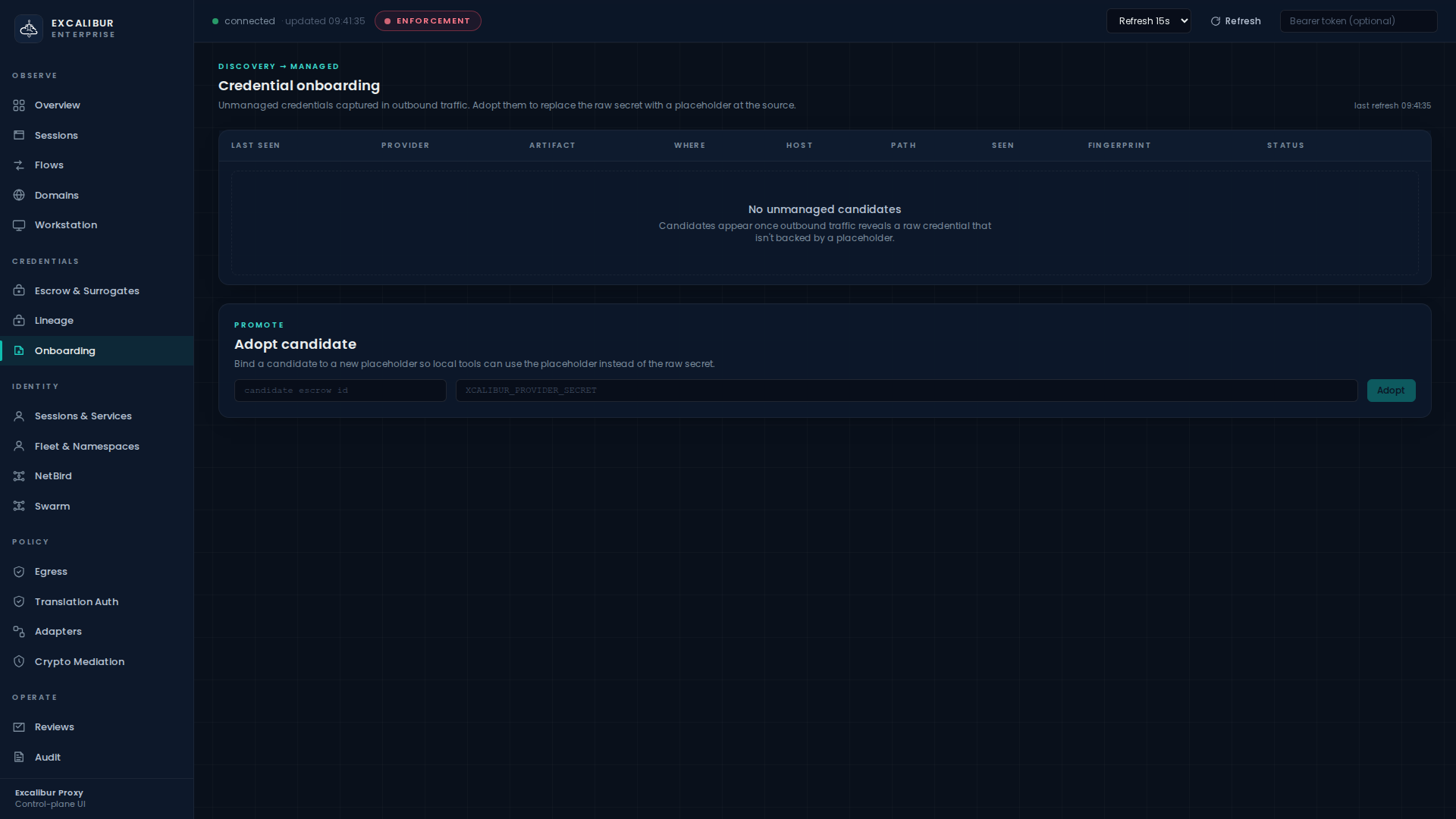
The Credential onboarding table lists every unmanaged credential seen in outbound traffic, with columns:
| Column | Meaning |
|---|---|
| Last seen | Timestamp of the most recent observation |
| Provider | Provider attribution (github, stripe, aws, …) |
| Artifact | bearer / refresh-token / api-key / cookie / form-field / json-field |
| Where | Header name, query param name, JSON key name, multipart field, … |
| Host | Upstream host |
| Path | Path prefix |
| Seen | Number of observations |
| Fingerprint | Stable, redacted identifier — never the value |
| Status | unmanaged until adopted |
Adopt it¶
In the Adopt candidate card below the table:
- Paste the candidate's escrow ID into the first field.
- Type the placeholder name you want this credential to live under
(convention:
XCALIBUR_<PROVIDER>_<WHAT_IT_IS>). - Click Adopt.
The result panel shows the registered placeholder and the replacement snippet to use in the workload's config.
The candidate disappears from the list (its status flips to
managed) and the new placeholder appears in Escrow &
Surrogates > Placeholder vault.
Or via API¶
curl -X POST http://localhost:8443/api/onboarding/candidates/<escrow_id>/adopt \
  -H "Content-Type: application/json" \
  -d '{"placeholder":"XCALIBUR_STRIPE_SECRET_KEY"}'
Replace the raw secret in the workload¶
The result snippet tells you exactly what to change. Typically:
- STRIPE_SECRET_KEY=sk_live_51N4xQ2K9pRuC8mXz7YbVgF3hJ
+ STRIPE_SECRET_KEY=XCALIBUR_STRIPE_SECRET_KEY
Re-deploy. Future requests use the placeholder; Excalibur restores the same captured real value upstream.
What gets recorded¶
| Event | Details |
|---|---|
onboarding_candidate_seen |
First time a fresh unmanaged credential is observed |
placeholder_added |
When the candidate is adopted |
onboarding_candidate_adopted |
Records the bound escrow ID and placeholder |
What this path does NOT do¶
- Excalibur does not scan local files, shell history, or process memory on the workload.
- Excalibur does not return real secret values through the onboarding API or the dashboard.
- Excalibur does not ask you to re-enter a secret it already has.
If you want to bring a credential under management that is not already in live traffic, use the operator-provisioned path in §1.
What's next¶
- Authorise principals to redeem the new placeholder: Translation rules.
- Rotate the value without redeploying the workload: Rotating a credential.
- Sign upstream cryptographically (JWT/DPoP/mTLS/SigV4) instead of string-substituting a bearer: Cryptographic mediation.